
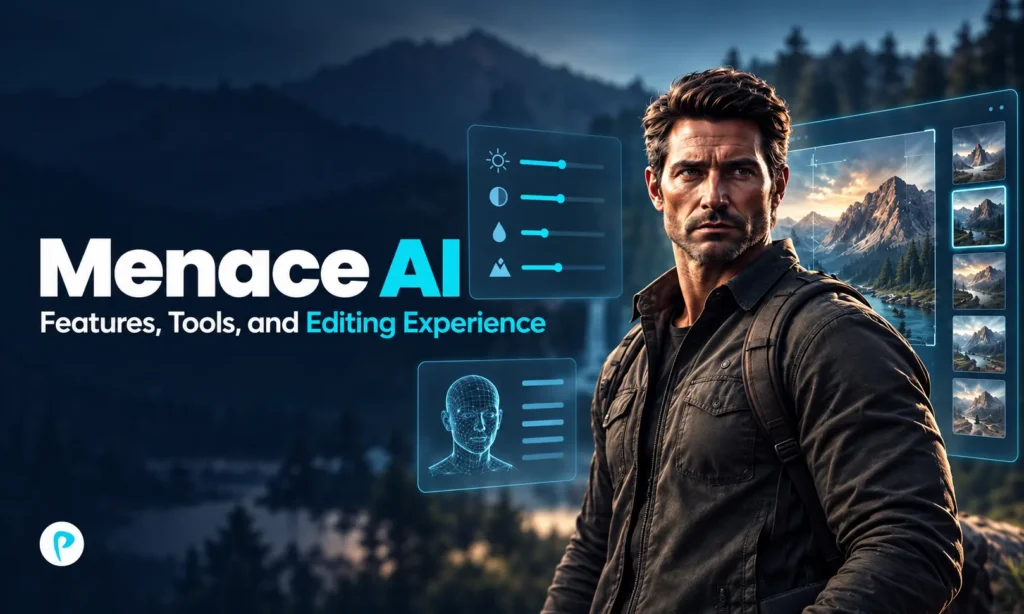
The Menace AI app is a picture and video generation software that is characterized by fast scene creation, AI-powered transforms, and socially-shareable content. Users of this app can skip the process of using complicated editing tools and simply upload a photo or video, select a template or use a custom prompt and see the result.
Menace AI was developed by OneClick Commerce LLC and is currently available for mobile phones and via the web platform. The primary advantage of this app is its simplicity and speed in creating certain types of videos and pictures (prank videos, portraits, fictitious scenes, short videos).
What Is Menace AI?
Menace AI is better described as a generative photo and video app than a conventional editor. Traditional software gives users direct control over layers, timelines, keyframes, transitions, and effects. Menace takes a different approach by automating much of that work through AI.
Users can choose from prebuilt templates or create more specific ideas through Custom Mode. The app is therefore aimed mainly at casual creators, social media users, and people experimenting with AI-generated visual content.
How Menace AI Works
The editing process is intentionally simple. A typical workflow looks like this:
- Upload a photo or short clip.
- Choose a ready-made template or enter a custom prompt.
- Start the AI generation process.
- Review the result.
- Save, share, delete, or try another version.
This workflow lowers the barrier to creating visually complex scenes. The trade-off is that users have less control over small details than they would in professional editing software.
Menace AI Photo Features
Photo editing is one of the main parts of the Menace AI experience. The app can use a selfie or portrait as the foundation for a newly generated image, transformation, or themed scene.
Templates and AI Transformations
Templates are useful for people who want fast results without writing prompts. They define most of the creative direction, while the uploaded image provides the subject.
Depending on the selected effect, the AI may alter the background, lighting, clothing, pose, movement, or surrounding environment. This goes beyond a simple filter because the system can generate new visual elements rather than only changing the original pixels.
Custom Mode
Custom Mode gives users more freedom by allowing them to describe an original scenario. This is useful when a specific idea is not available in the template library.
The results can vary, however. More complicated prompts may produce inconsistent facial details, awkward objects, unrealistic hands, or scenes that only partially match the request. Clear and focused prompts generally give the system a better creative direction.
Menace AI Video Tools
Video generation is one of the more distinctive features of Menace AI. A user can start with an existing photo or clip and transform it into a short animated or cinematic-looking scene.
Photo-to-video creation is particularly useful for:
- short social media posts;
- prank-style scenarios;
- animated portraits;
- fictional transformations;
- humorous group-chat content;
- creative character scenes.
The AI creates new frames rather than simply moving the original image. Because of that, visual consistency can change during complex movement or when multiple subjects appear in the same scene.
Templates vs Custom Mode
Both creation methods serve different types of users.
| Feature | Templates | Custom Mode |
|---|---|---|
| Setup | Select an existing effect | Write a prompt |
| Ease of use | Very simple | Requires clearer instructions |
| Creative freedom | More limited | More flexible |
| Predictability | Usually higher | Can vary more |
| Best for | Fast social content | Specific creative ideas |
Templates are better for speed and consistency. Custom Mode is more flexible, but the final result depends heavily on the prompt, source image, model behavior, and moderation rules.
Editing Experience and Output Quality
Menace AI keeps the interface relatively simple because most technical decisions are handled automatically. Users spend more time choosing an idea and less time dealing with editing mechanics.
That makes the learning curve much lower than software such as Premiere Pro, Final Cut Pro, or DaVinci Resolve. It also means Menace is not designed for frame-by-frame editing or detailed production work.
Output quality depends heavily on the source material. Clear portraits with good lighting and visible facial features usually provide stronger starting points than blurry, heavily compressed, or poorly cropped images.
AI-generated scenes may still contain visual artifacts. Complicated movement, text, reflections, accessories, fingers, or crowded scenes can sometimes look unnatural.
Menace AI Pricing
Menace is free to download, but AI generation generally depends on subscriptions, credits, or other paid access.
Pricing can vary by platform, country, package, and promotion, so users should check the current purchase screen before subscribing.
| Pricing element | Typical setup |
|---|---|
| App download | Free |
| AI generation | May require credits or paid access |
| Subscription options | Can include weekly or monthly plans |
| Extra credits | Available through separate purchases |
| Renewal | Usually automatic until canceled |
Users who only create occasional videos should pay particular attention to credit costs. Multiple attempts at the same idea can increase the effective price of a usable result.
Privacy and Safety
Privacy matters because Menace AI often processes personal photos, faces, videos, and prompts.
The company’s privacy information states that uploaded media and generation requests may be processed through cloud and third-party AI services used to produce results. Users should therefore avoid uploading highly sensitive images unless they are comfortable with that processing.
Good practices include:
- using only media needed for the effect;
- getting permission before uploading another person’s image;
- avoiding private documents or personal data in the background;
- reviewing generated media before posting it publicly;
- deleting unwanted creations where possible.
The platform also restricts harmful uses such as deceptive impersonation, harassment, fraud, and attempts to bypass moderation controls.
Common Menace AI Problems
Poor results often come from weak source images or overly complicated prompts. Using a clearer portrait and simplifying the requested scene can improve consistency.
Prompt rejection usually means the request has triggered a moderation rule. Rewording the idea more clearly is preferable to trying to bypass the restriction.
Slow processing may result from server demand, connection quality, file complexity, or the selected AI model. If credits or subscription access appear incorrect, users should check the billing platform that processed the purchase and use the available restore-purchase options.
Menace AI vs Traditional Editors
Menace AI and conventional editing tools are built for different jobs.
| Area | Menace AI | Traditional Editor |
|---|---|---|
| Main workflow | AI generation | Manual editing |
| Learning curve | Low | Moderate to high |
| Creative speed | Fast | Usually slower |
| Fine control | Limited | Extensive |
| Timeline editing | Minimal | Core feature |
| Best for | Quick social content | Controlled production |
Menace is strongest when speed matters more than precision. Traditional editors remain better for professional projects that require detailed timing, audio control, color work, branding, or consistent visual output.
Menace AI Alternatives
Several alternatives are worth considering depending on the task.
CapCut is stronger for timeline-based social video editing, captions, music, transitions, and manual control.
Canva suits users who combine images, graphics, social posts, presentations, and lightweight AI tools.
Picsart is useful for creative photo editing, filters, retouching, and image effects.
Adobe Express offers broader content creation tools within Adobe’s ecosystem.
Remini is more focused on facial enhancement and improving older or lower-quality photos.
Is Menace AI Worth Using?
Menace AI is best suited to users who want fast, creative photo and video generation without learning traditional editing software. Its templates and Custom Mode make it easy to experiment with social content, prank-style scenes, and visual transformations.
The main trade-offs are limited manual control, variable AI output, moderation restrictions, and ongoing credit or subscription costs. For casual creators who value speed and novelty, it can be a practical option. Users who need precise editing or predictable professional results will be better served by a traditional video or photo editor.
FAQs
Can Menace AI create videos from just one photo?
Yes. Menace AI can use a single image as the starting point for certain AI-generated video effects and animated scenes, depending on the selected feature or template.
Does Menace AI work without advanced editing skills?
Yes. The app is designed around automated generation, so users do not need experience with timelines, keyframes, masking, or other professional editing techniques.
Can Menace AI be used for social media content?
Yes. Its short-form visual effects, transformations, and generated scenes are well suited to platforms such as TikTok, Instagram Reels, and YouTube Shorts, although users should still review each result before posting.
Pingback: Bloom AI for Research Teams: Benefits, Features, and Use Cases - Plusstories.com
Pingback: Zenvekeypo4 Software Review: Features, Issues, and Use - Plusstories.com
Pingback: Vmake AI Review: Features, Pricing, and Video Tools - Plusstories.com